Pause before the paws.
Start Cat nap manually when your desk companion arrives. The native app pauses keyboard input while your pointer stays available.
 Pawseby BWE Studio
A little room for your little interruption.
Your desk is their favourite place.
Give the keyboard a cat nap, and enjoy the company.
Mac release preparation · Windows native testing pending
Hold for 1.5 seconds · or
Esc leaves the demo. Your pointer is always free.
They bring the purr.
You keep the paragraph.
Made for the moments in between
Start Cat nap manually when your desk companion arrives. The native app pauses keyboard input while your pointer stays available.
Optional auto detection looks for unusual key timing and chords. It’s a best-effort heuristic, not a promise to recognise every cat.
Use the app’s hold-to-unlock control when you’re ready. Return to your work with a little less accidental typing.
Auto detection cannot undo input that already reached another app. On Mac, a pause applies to all keyboards, not just the built-in one. System-reserved controls and secure input have limits.
A small app. A welcome pause.
Free, with no account or subscription.
Choose your platform and check its release status below.
Loading release details…
Only a verified, available package will show a download button here. No email list. No waiting-room signup.
A calm first minute
When a package is available, follow its release-specific instructions. These are the basics.
Read the common questions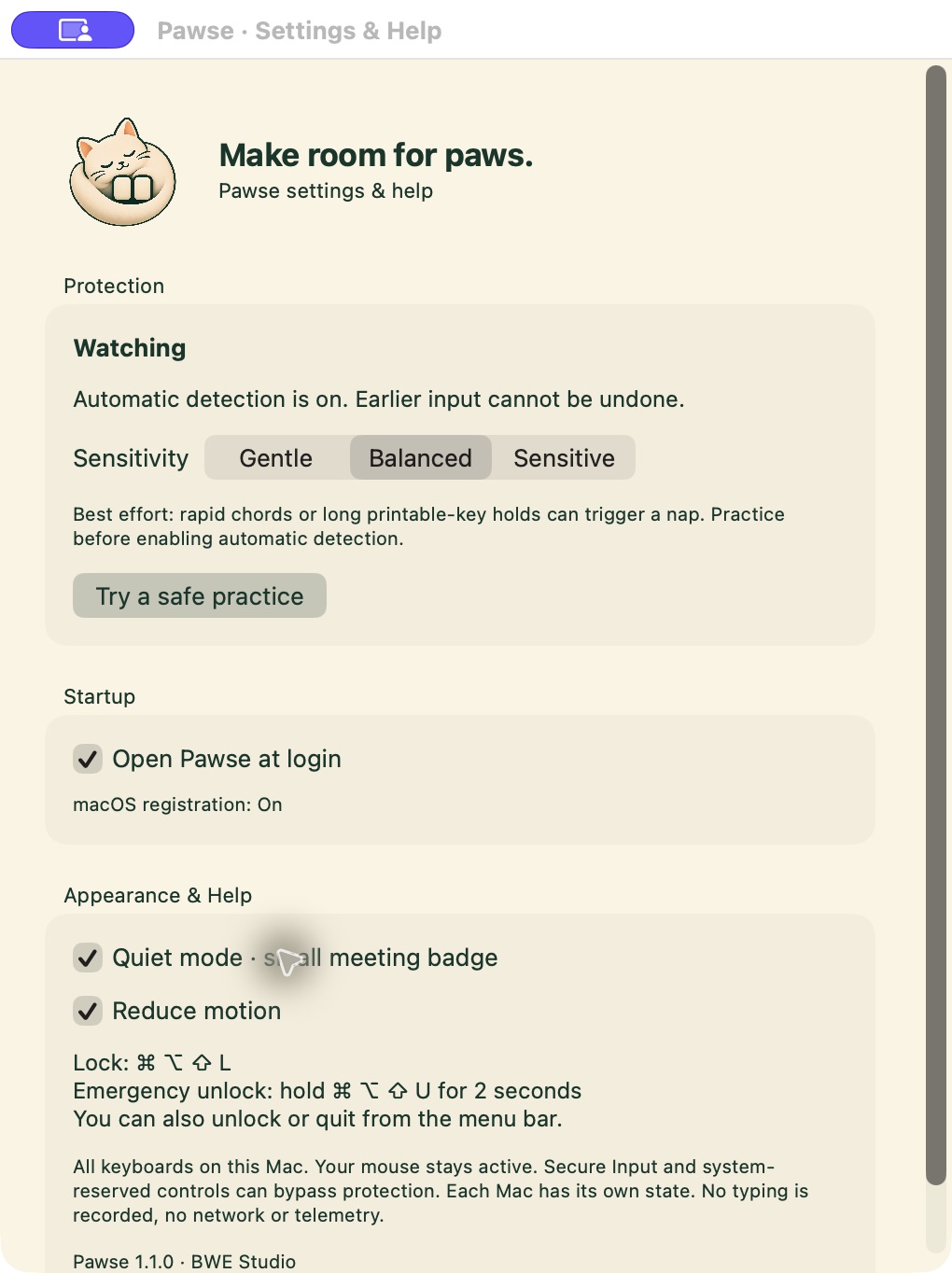
Choose your operating system and architecture. Check the signing information shown with that release. Avoid packages from unknown mirrors.
On Mac, follow the app’s guidance for Accessibility access in System Settings → Privacy & Security. The Mac app requires macOS 13 or later. Read the package’s release notes before granting access.
Save your work first. Start a pause, test ordinary keys in a harmless document, and check the wake control. Enable optional auto detection only after you’re comfortable with the manual flow.
Good things to know
No. The illustration above is an interactive browser demo. It does not intercept system input, capture shortcuts, enter fullscreen, or stop you leaving the page. You need the native app to pause keyboard input.
No. Pawse is for accidental keyboard input. The mouse or trackpad stays usable. Use your operating system’s lock screen when you need to secure your computer.
No. Optional auto detection uses keyboard timing and key-chord patterns. It can miss a cat or mistake human typing for an interruption. Input that happened before detection cannot be taken back.
On Mac, the current design pauses all keyboards, including external ones; you cannot select only the built-in keyboard. Secure Input and system-reserved controls may behave differently. On Windows, UAC prompts, the secure desktop and Ctrl+Alt+Delete are outside the app’s control. Check each release’s test notes before relying on it.
The platform cards show the current release state. A download appears only when a verified package is available. The Mac build is Developer ID signed and awaiting Apple notarization. Windows downloads are withheld until native testing is complete. Neither platform has a public download on this page yet.
The native keyboard-pause functionality is designed to run locally, without an account or cloud processing. Downloading the installer and visiting this website need an internet connection.
Your keys stay yours
Pawse’s keyboard-pause functionality runs on your device. Auto detection evaluates input patterns locally; it does not need to send your typing to a server.
This website has no analytics, cookies for tracking, forms, accounts or embedded third-party services. The hosting provider still processes the requests needed to serve the site and downloads, which may include your IP address and browser information.
Native release notes will identify any platform-specific data handling before download. Don’t use a preview for sensitive or unsaved work until you’ve checked its limitations.
Release notes
10 November 2026 · Preparation
Mac v1.1.0 (build 2) is a universal app for Apple silicon and Intel, requiring macOS 13 or later. It is Developer ID signed; Apple notarization and final release checks are in progress. On the tested Mac, a manual Cat nap blocked physical keyboard input, and a two-second pointer hold returned the app to Watching. Windows source checks and a local cross-platform build have passed, but native runtime testing is pending. Windows downloads will remain unavailable until that testing is complete.
Actual version, architecture, signing state and checksum will accompany each downloadable package. The hero is an illustrative browser demo, not a screenshot or proof of native testing.